How to Turn a Vibe-Coded Prototype into Production-Ready Software
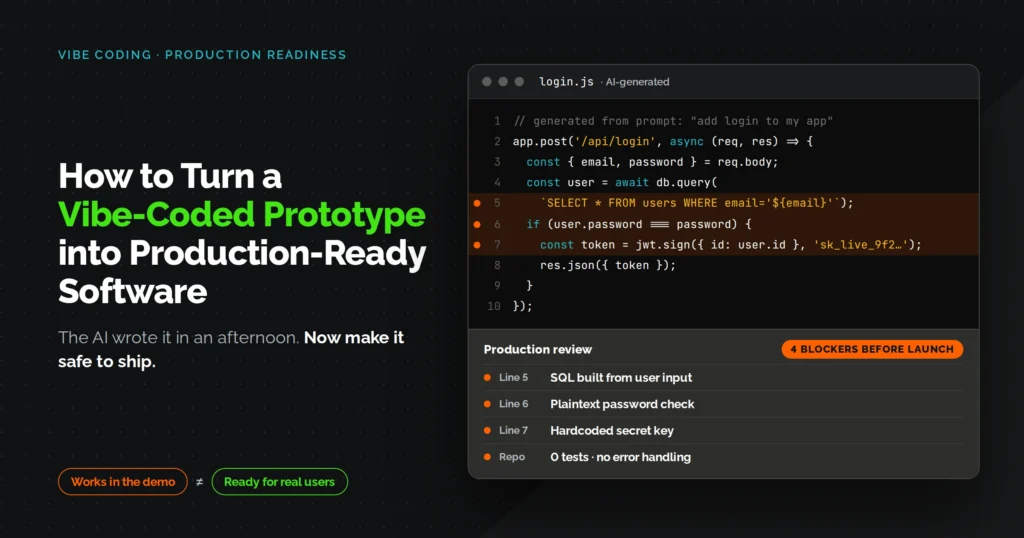

A vibe-coded prototype gets you a working demo in a weekend. It doesn’t get you something that survives real users, real data, and real traffic on its own.
That gap isn’t a knock on the tools. Lovable, Bolt, Cursor, Replit, and v0 are genuinely good at turning a prompt into a working screen, and that speed has real value for validating an idea before you spend real money on it.
The problem shows up the moment someone besides you starts depending on the app. AI-generated code is optimized to look finished, not to survive the messy edge cases a real user throws at it on day one, things like a payment retried mid-checkout or two people editing the same record at once.
This guide walks through the exact sequence to close that gap, in the order that actually matters. Skip ahead if you already know where your prototype stands or start from step one if you’re not sure.
Quick Steps
- Audit your vibe-coded prototype against real conditions, not demo conditions.
- Check the specific gaps tied to whichever vibe-coding tool you built with.
- Remove every hardcoded secret from the codebase and the git history.
- Close authentication and authorization gaps, especially ones only enforced on the frontend.
- Add server-side input validation and rate limiting to every public endpoint.
- Add structured error handling with timeouts to every external call.
- Migrate the database to a production-grade engine with indexes and backups.
- Move file uploads off local disk to object storage.
- Write automated tests for the three to five journeys that matter most.
- Set up a CI/CD pipeline with a staging environment and a tested rollback.
- Load test the app and fix the slowest endpoints first.
- Add observability so a failure reaches you before a user has to report it.
- Run a full staging rehearsal before touching production.
- Deploy, then watch the first 24 hours closely.
What You Need Before You Start
You do not need a full engineering team for this. You do need a few things in place, or someone on hand who has them:
- Access to your git repository, including full commit history
- Admin access to your hosting or deployment platform
- A staging environment, or the ability to spin one up
- Database admin credentials
- 20 to 40 hours, depending on how complex the prototype has gotten
- Basic comfort with your stack, or a developer who has it
This applies whether you built in Lovable, Bolt, Cursor, Replit, or v0. The tools differ. The gaps they leave behind mostly don’t.
Step 1: Audit Your Vibe-Coded Prototype Before You Change Any Code
Before you fix anything, spend two to three hours writing down what actually exists. List every core user journey, every external service the app calls, and whether a staging environment exists at all.
Most vibe-coded prototypes fail this audit in the same three places: no separation between environments, business logic scattered across components, and zero documentation for anyone besides the person who prompted it into existence. That last one matters more than founders expect.
One founder on r/vibecoding tracked their own hours building a client MVP and watched the pattern play out in real time. The first ten hours felt like pure magic, but by hour thirty the AI was fighting its own spaghetti, and a full rebuild followed soon after because nobody had written down what the architecture was supposed to be. This is not a reason to panic, it’s a reason to know exactly what you’re standing on before you start reinforcing it.
Step 2: Check the Platform-Specific Gaps for Your Vibe-Coding Tool
Check your specific tool’s known weak point before doing anything else. Each one has a signature blind spot:
| Tool | Common Production Gap |
|---|---|
| Lovable | Supabase Row Level Security is often left too permissive; every table needs a policy audit |
| Bolt.new | Runs in a WebContainer during development; you need a real export and deploy pipeline, not a push straight from the Bolt interface |
| Cursor | Long sessions produce internally inconsistent logic; run a full architecture pass, not just a lint check |
| Replit | Free-tier hosting sleeps and causes cold starts; the built-in key-value store needs migrating to Postgres |
| v0 by Vercel | Generates UI components only, no backend logic; don’t assume a component is a finished feature |
None of this means the tool did something wrong. Each one optimizes for getting you to a demo fast, not for what happens after.
Step 3: Remove Hardcoded Secrets from Your Vibe-Coded Prototype
Search your entire codebase right now for anything that looks like a key: strings starting with sk-, AIza, Bearer, or variables named secret, token, or password. Do this before you touch a single line of feature code, because a leaked API key can be exploited before your app has a single real user.
AI coding agents write working code first and worry about secrets never. They’ll hardcode a database string to make an example run, and six commits later it’s buried in your history even after you’ve “fixed” the current file.
Scan Your Git History, Not Just Your Current Branch
Run a secret scanner (git-secrets and trufflehog both work) against your full commit history, not just what’s on your main branch today. If anything was ever committed and later removed, treat it as compromised and rotate it, because deleting a file doesn’t delete it from history.
Step 4: Close the Authentication and Authorization Gaps
Pick your most sensitive API route and call it directly with a token belonging to a lower-privilege user. If the request succeeds, you’ve found the bug Veracode’s 2026 GenAI Code Security Report flagged across 150-plus tested models: only around 55% of AI-generated code comes out secure by default, and access control fails most often.
Check for Frontend-Only Role Checks
The most common version in vibe coded apps is a role check that lives only in the UI. The admin button is hidden from regular users, but the backend route has no idea what a role even is, so anyone who finds the URL can call it directly.
Step 5: Add Server-Side Input Validation and Rate Limiting
Add validation at every API boundary before the request reaches your business logic, not after. Client-side validation is a UX nicety; it stops nothing for someone using a script instead of your form.
Cover these three areas in order:
- Reject malformed or oversized payloads at the API layer
- Sanitize any HTML rendered back to users, using a maintained library rather than a regex you wrote yourself
- Rate-limit login, registration, and password reset endpoints, since these are the ones bots hit first
A recent Checkmarx review of over 1,500 security and engineering leaders found 81% of organizations knowingly deploy code with known flaws, often because no governance process forces a second look. A basic code review checklist at this stage closes most of that gap for free.
Step 6: Build Structured Error Handling for Every External Call
Go through every function that calls a payment processor, a database, or a third-party API, and confirm it has an explicit timeout. Without one, a single slow external service can hang your entire request queue instead of failing gracefully.
Then check that failures are categorized, not lumped into one generic catch block. A network timeout, a 401, and a 429 all need to be handled differently, or you’ll miss the difference between “the service is down” and “we’re being rate limited” until a user tells you.
Step 7: Migrate Your Vibe-Coded Prototype’s Database to a Production-Grade Engine
If your prototype is running on SQLite, plan the migration to Postgres or MySQL now, before real user data exists. SQLite is fine for a demo with ten rows; it will lock up the moment two real users write to the same table at once.
Use an actual migration tool for this, Alembic, Flyway, or Knex depending on your stack, instead of running raw SQL directly against production. Raw SQL against a live database is how teams lose data, not how they gain speed.
Add Indexes and Automated Backups
Run your five most common queries through an EXPLAIN ANALYZE and add indexes wherever you spot a full table scan. Then turn on automated daily backups through your managed database provider and actually test a restore, because an untested backup is just a file you hope works.
Step 8: Move File Uploads Off Local Disk to Object Storage
Check where uploaded files are actually being saved right now, and if the answer is local disk, move them to S3, Cloudflare R2, or an equivalent before launch. Most hosting platforms wipe local disk storage on every redeploy, which means a user’s uploaded file can vanish the next time you ship a fix.
Validate file type and size on the server, not just in the browser, and generate signed URLs for anything private instead of serving files directly from a public path.
Step 9: Write Automated Tests for Your Critical User Paths
List your three to five journeys where a failure would actually cost you money or trust, sign-up, the core action your product exists for, and checkout or export if you have one. Write or generate an end-to-end test for each of those specific paths before you write a single unit test.
Unit tests matter eventually, but they tell you a function works in isolation, not that a real user can get through the flow that pays your bills. Aim for roughly 70% coverage on these core paths for a first release; 100% coverage is a goal for later, not a requirement for launch.
Step 10: Set Up a CI/CD Pipeline with a Staging Environment and a Tested Rollback
Set up a pipeline that runs on every push and blocks merging if it fails: a build step, a lint step, and a smoke test confirming the app starts and the main route returns a 200. GitHub Actions or GitLab CI both handle this without much setup, and the tool matters less than the discipline of never merging around a red pipeline.
This is exactly the gap one non-technical builder described on r/nocode after vibe coding an internal logistics dashboard for their team. The tool worked in demos, but they had no idea what would happen if it broke at 6am while trucks were being loaded, and no plan for who’d fix it. A pipeline with staging and a documented rollback is the direct answer to that fear, it’s the layer that separates a prototype someone is proud of from a system someone can actually be on call for.
Teams that don’t want to own this maintenance themselves often bring in a DevOps as a Service partner to build the CI/CD layer once and hand it off with documentation, rather than learning it under deadline pressure.
Step 11: Load Test and Fix Performance Bottlenecks
Run a load test against staging with the number of concurrent users you actually expect in your first month, not an arbitrary large number. Tools like k6 or Locust will surface connection pool exhaustion, slow endpoints, and third-party rate limit hits that never show up when you’re the only person using the app.
Identify your three slowest endpoints from that test and fix those specifically before optimizing anything else. N+1 query patterns, where a page fires one database query per row instead of one query total, are the single most common performance killer in vibe coded apps.
Step 12: Add Observability So You Know When Something Breaks
Install an error tracking tool like Sentry and configure it to alert you on new error types, not just log them silently somewhere you’ll never check. This alone takes under twenty minutes and it’s the difference between finding a bug in your dashboard versus finding it in an angry email.
Then add uptime monitoring pointed at an actual health endpoint that checks database connectivity, not just your homepage, and structured logging on your critical paths like payments and registration. You should learn about a failure from a tool, never from a customer.
Step 13: Run a Full Staging Rehearsal Before You Deploy
Walk through your entire user journey on staging as if you’ve never seen the app before, registration through to the core action, with no shortcuts you know about. Test every transactional email actually renders correctly and arrives, and if you take payments, run both a successful and a declined test transaction.
Deliberately trigger an error and confirm your alert actually fires, then restore your database from a backup and confirm the app still works afterward. If any of these steps fail on staging, that’s the version of failure you want, not the one your first real users find for you.
Step 14: Deploy Your Production-Ready App and Monitor the First 24 Hours
Confirm DNS and SSL are correctly pointed before you deploy, then run migrations with a rollback plan already written down, not one you’ll figure out if needed. Deploy through your CI/CD pipeline rather than manually, since that’s the whole point of building it in step 10.
Watch your error tracker closely for the first hour after launch, because new error types that show up in that window almost always have an obvious, fixable cause. Do one final end-to-end check using a real account, not a test one, before you tell anyone the app is live.
If this is the point where you’d rather have a team own monitoring and incident response long term instead of doing it yourself, that’s a reasonable call, and it’s the kind of ongoing work Fullstacktechies takes on for teams that have shipped the fix but don’t want to be the permanent on-call rotation.
Vibe Coded Prototype to Production: Step-by-Step Checklist
| Step | What to Fix | How You Know It’s Done |
|---|---|---|
| 1. Audit | Map journeys, architecture, and staging status | You have a written list of every gap |
| 2. Platform check | Fix your specific tool’s known weak point | Platform-specific issue is resolved |
| 3. Secrets | Remove hardcoded credentials, rotate exposed keys | Scanner returns clean on full git history |
| 4. Auth | Enforce access control at the API level | Low-privilege token gets denied on sensitive routes |
| 5. Input validation | Validate and rate-limit at API boundaries | Malformed payloads return a clear 400, not a 500 |
| 6. Error handling | Add timeouts and typed errors to external calls | Killing a dependency returns a useful error |
| 7. Database | Migrate to Postgres/MySQL with indexes and backups | Restore from backup works and is tested |
| 8. File storage | Move uploads to object storage | Files survive a redeploy |
| 9. Testing | Cover 3-5 critical user paths end to end | Breaking a path fails the test in CI |
| 10. CI/CD | Build, lint, test gate with staging and rollback | Intentional break is caught before merge |
| 11. Performance | Load test and fix the slowest endpoints | Core pages hold up under expected concurrency |
| 12. Observability | Error tracking, uptime, structured logs | Alerts fire within minutes of a real issue |
| 13. Staging rehearsal | Full journey test, backup restore, alert test | Everything passes with no shortcuts taken |
| 14. Deploy | Migrate, deploy via pipeline, watch first 24 hours | No unexplained errors in the first hour |
The Bottom Line
A vibe coded prototype and a production-ready app can share the same codebase. What separates them isn’t a rewrite, it’s fourteen specific gaps that AI tools leave open by default because they’re optimizing for a demo, not a Tuesday afternoon with real users on it.
Work through the steps in order and don’t skip the boring ones. Secrets and auth come before performance for a reason: a fast app that leaks data is worse than a slow one that doesn’t.
Most founders who’ve been through this once will tell you the same thing. The two to six weeks it takes feels slow compared to the weekend it took to vibe-code the prototype, but it’s the difference between a product you can hand off to a team and one only you understand well enough to keep alive.
FAQ
Q1. How do I make a vibe-coded prototype production ready?
Audit what exists, remove hardcoded secrets, lock down authentication at the API level, migrate the database, add tests and a CI/CD pipeline, then add observability before you deploy and watch closely.
Q2. How long does it take to turn a vibe-coded prototype into production-ready software?
Most teams need two to six weeks depending on how many integrations and user roles the app has; a simple single-purpose tool can be done faster, and one that handles payments or sensitive data usually needs longer.
Q3. Do I need to rebuild a vibe-coded prototype from scratch?
Not usually. Most prototypes can be hardened in place, and a full rebuild is only necessary when the underlying architecture itself blocks a requirement you can't work around.
Q4. What's the biggest security risk in a vibe-coded prototype?
Hardcoded secrets and authorization checks that only exist on the frontend. Veracode's 2026 testing across 150-plus models found security pass rates sitting around 55%, and that gap shows up most often in exactly these two places.
Q5. When should I bring in engineering or DevOps help for a vibe coded prototype?
When the app starts handling payments or personal data, when manual deploys are already causing errors, or when an enterprise client or investor asks for a security review before they'll sign anything.